
Cursive Font Copy and Paste: How It Actually Works
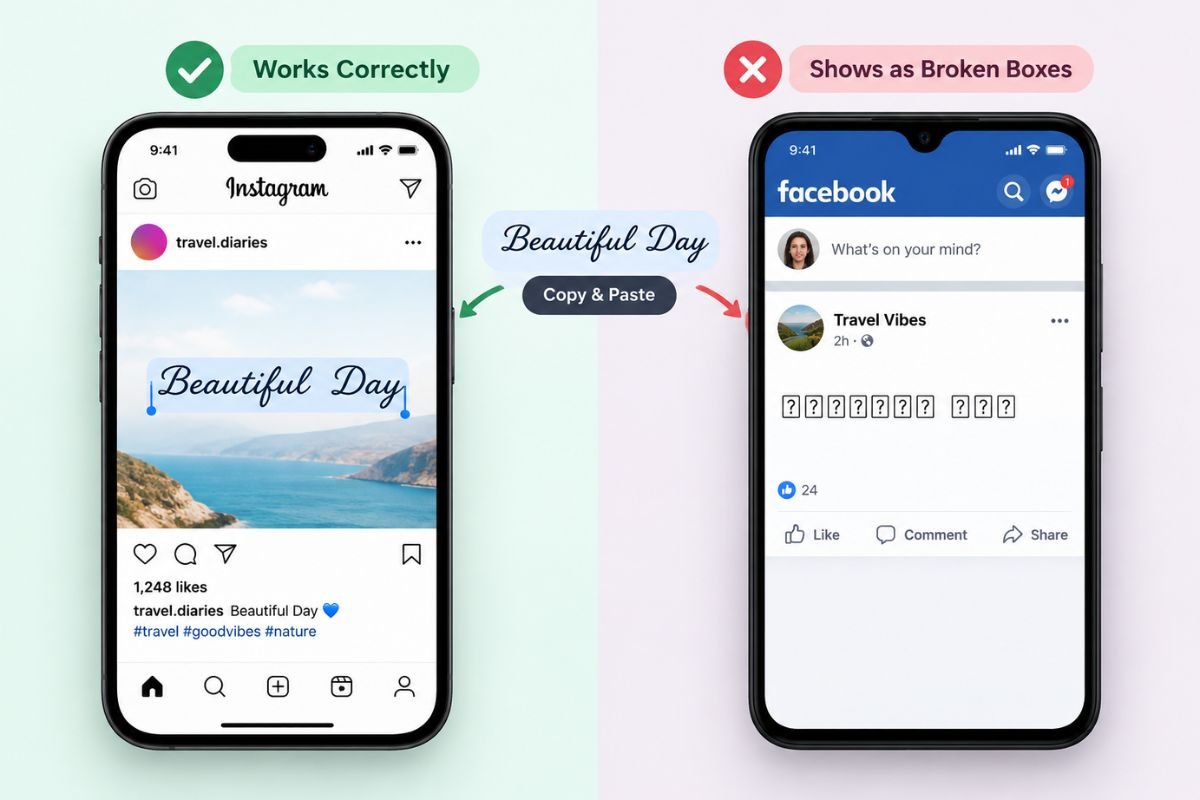
You type a word into a cursive generator, copy the result, and paste it into an Instagram bio or a Facebook post. Sometimes it looks exactly right. Sometimes it turns into a row of little boxes, or the letters quietly revert to plain text the moment they land somewhere else. Neither result is a bug, and neither means the tool is broken.
Cursive font copy and paste works on a completely different mechanism than an actual handwriting font, and understanding that mechanism is the fastest way to know where it will work, where it won’t, and how to fix it when it doesn’t. This guide covers how cursive copy-paste text is actually built, the platforms where it displays cleanly, the places it tends to break, and a few practical fixes.
If you’re here because you want to learn to write cursive by hand rather than style text on a screen, the complete guide to writing in cursive is a better starting point.
What Cursive Font Copy and Paste Actually Is
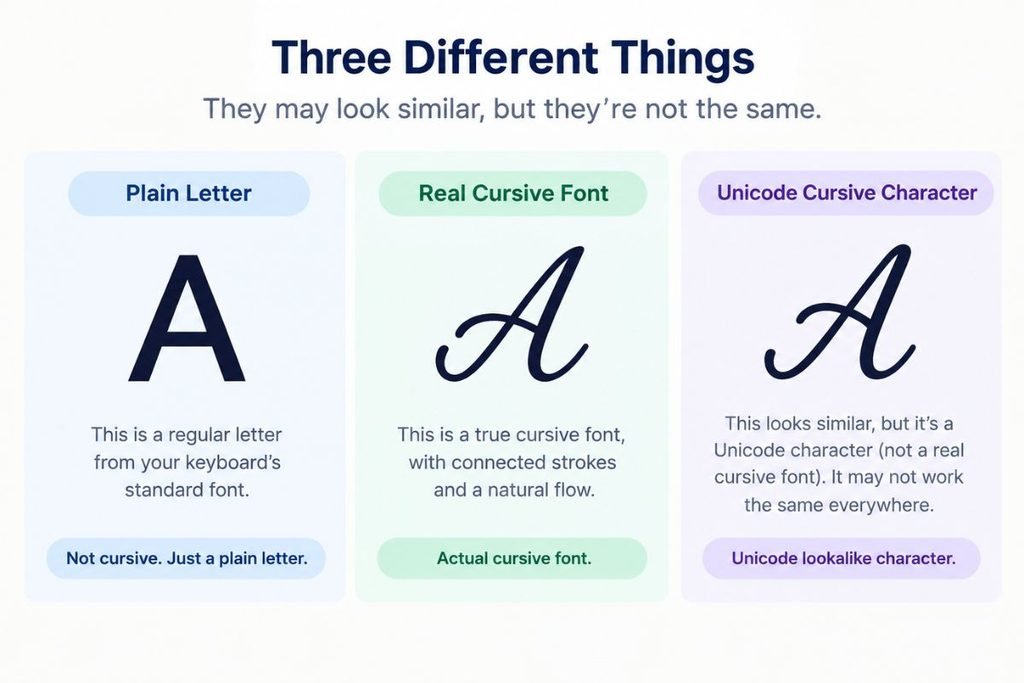
Most apps and websites, Instagram and Facebook included, do not let you pick a custom font for a bio, a caption or a comment. There is no dropdown menu offering “cursive” as a font choice in those text fields, and no amount of formatting inside the app itself will produce one. A cursive font generator works around that limitation entirely differently: instead of applying a font to your text, it swaps each letter you type for a separate Unicode character that happens to look like a script letterform.
Unicode is the shared character standard that lets every device, app and website display the same text the same way, and it includes far more than the 26 letters of the English alphabet. Buried inside it are entire blocks of stylized lookalike characters, originally meant for mathematical notation, that were never designed to be used as everyday text but happen to render as bold, italic, double-struck or script-style letters.
When you type “hello” into a cursive generator, you are not choosing a font. You are asking the tool to look up the script-styled Unicode character that corresponds to each letter and swap it in. What you copy afterward is not styled text in the traditional sense. It is a string of distinct Unicode characters that merely resemble cursive handwriting.
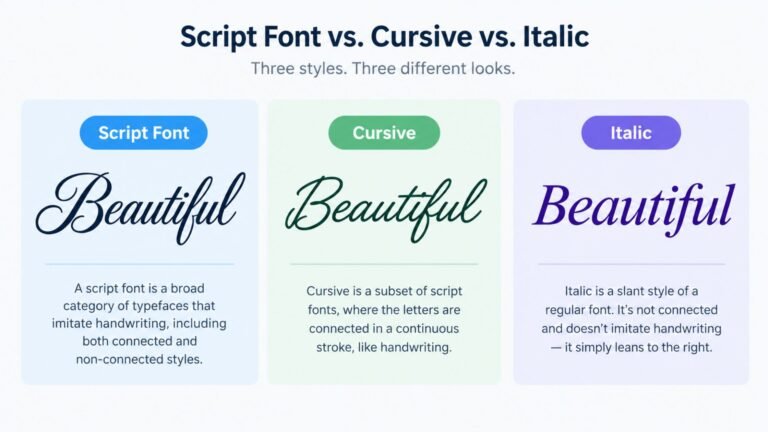
That distinction explains almost everything else in this guide. A real font is a set of instructions a device uses to draw ordinary letters in a particular style. A Unicode cursive character is not an ordinary letter styled differently. It is a different character altogether that a reader’s eye interprets as a cursive letter because it looks similar enough.
A Short History of Cursive Copy-Paste Text
The script-style characters behind cursive copy-paste text come from a part of Unicode called the Mathematical Alphanumeric Symbols block, added to the standard in the early 2000s. Its original purpose had nothing to do with social media styling. Mathematicians needed a way to distinguish, say, an italic variable from a bold matrix name from a script-style constant, all within the same formula, and plain letters couldn’t carry that distinction on their own. So Unicode reserved a dedicated set of styled lookalike letters, including several script and cursive variants, purely for that kind of notation.
Text-styling tools found this block years later and repurposed it for an entirely different job: letting ordinary text look stylized anywhere plain text is accepted, without needing a font installed or any special formatting support from the app itself. A cursive generator is, in effect, borrowing a set of characters built for algebra textbooks and using them to decorate an Instagram bio. That repurposing is clever, and it’s also exactly why these characters behave the way they do: they were built to render in specialized typesetting contexts, not guaranteed to be supported everywhere ordinary text is, which is the root cause of almost every rendering problem covered later in this guide.
Why It Looks Different on Different Platforms and Devices
Because cursive copy-paste text depends on Unicode characters rather than a font, how it looks depends entirely on whether the device and app displaying it actually include those specific characters in their installed fonts.
Modern phones, current versions of Instagram, Twitter/X, Facebook, TikTok and most up-to-date browsers ship with broad Unicode font coverage, so these script-style characters render exactly as intended almost everywhere you’d want to use them. This is why cursive copy-paste text has become such a common sight in bios and captions. The platforms people actually use for that kind of text generally support it well.
Older devices, some desktop email clients, and apps that restrict which fonts they load can fall short of that full coverage. When a device encounters a Unicode character its fonts don’t include a glyph for, it has no styled version to fall back to. Depending on the platform, that shows up as a small rectangle with a code number inside it, called a tofu box, or as the character disappearing from the text entirely.
Screen readers depend on recognizing actual letters, not characters that merely resemble them, so cursive Unicode text can come out garbled, spelled out character by character in an unfamiliar way, or skipped outright, depending on the screen reader. This is one of the more important limitations of cursive copy-paste text, and it is worth knowing before using it anywhere accessibility genuinely matters.
Search engines read page content the same way screen readers do, by recognizing actual characters rather than visual resemblance. A heading built from cursive Unicode characters is not read by a crawler as the word it visually spells out, which matters if that heading was meant to help the page rank for that exact term.
Where Cursive Copy-Paste Text Works Well
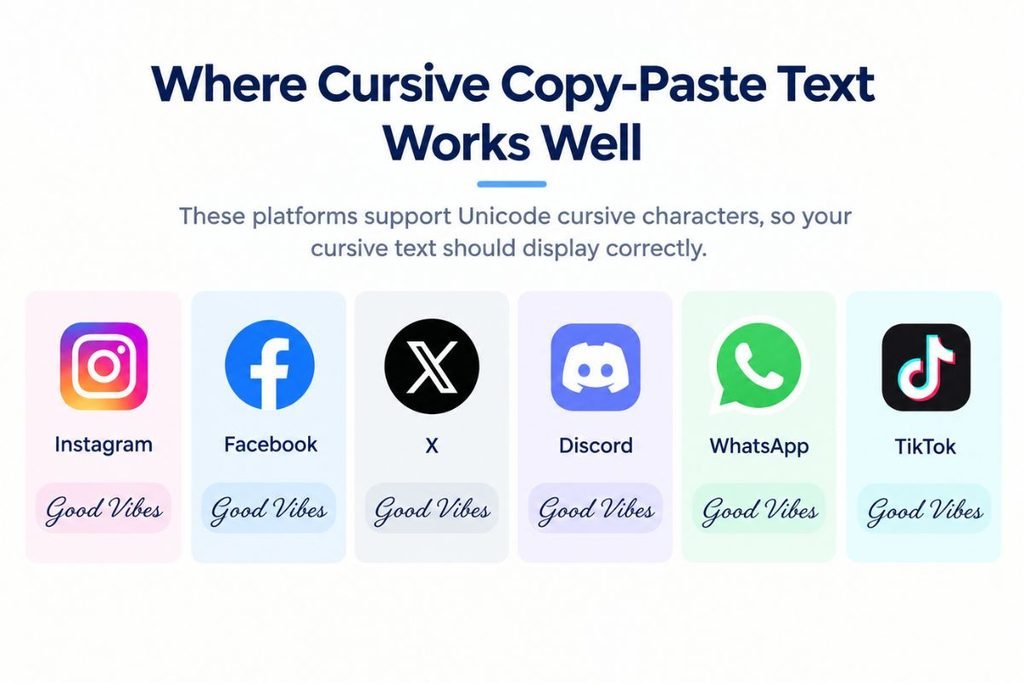
A handful of places consistently support cursive copy-paste text without issues, which is exactly why it has become popular in these specific spots.
- Instagram bios and captions render cursive copy-paste text cleanly on essentially every modern device, making it the single most common place people use this kind of styled text.
- Facebook posts, comments and profile fields generally display it the same way, since Facebook’s apps and the modern browsers people use to access it both carry broad Unicode support.
- Twitter/X posts handle it well too, which is part of why cursive-styled tweets and bios are so common.
- Discord messages and server nicknames support it cleanly in the desktop and mobile apps most people actually use.
- WhatsApp status updates and messages display it correctly on current versions of the app.
- TikTok bios and captions generally render it without issue, for the same reason Instagram does.
Where Cursive Copy-Paste Text Often Breaks
A smaller but still common set of places is where cursive copy-paste text tends to fall apart, usually for one of two reasons: the field strips unusual characters, or the device rendering it doesn’t carry the right font coverage.
Plain-text-only form fields, like many website username fields, account registration forms and some app profile fields, actively filter out characters outside the standard alphabet, so pasted cursive text either gets rejected outright or silently stripped down to nothing.
Older or budget devices, along with outdated operating system versions, often lack full Unicode font coverage, which is the most common reason cursive text looks perfect on one person’s phone and shows up as boxes on someone else’s.
Printed materials and some PDF exports can render cursive Unicode text incorrectly if the printing or export process relies on a font that doesn’t include those specific characters, even when the same text displayed perfectly on screen.
Screen readers and other assistive technology, as covered above, frequently cannot interpret cursive Unicode text the way they interpret ordinary letters.
Search engine indexing treats cursive Unicode characters as what they technically are, distinct characters, not the plain-text word they resemble, which can quietly undermine a page’s SEO if used in the wrong place.
How to Fix It When Cursive Text Looks Broken
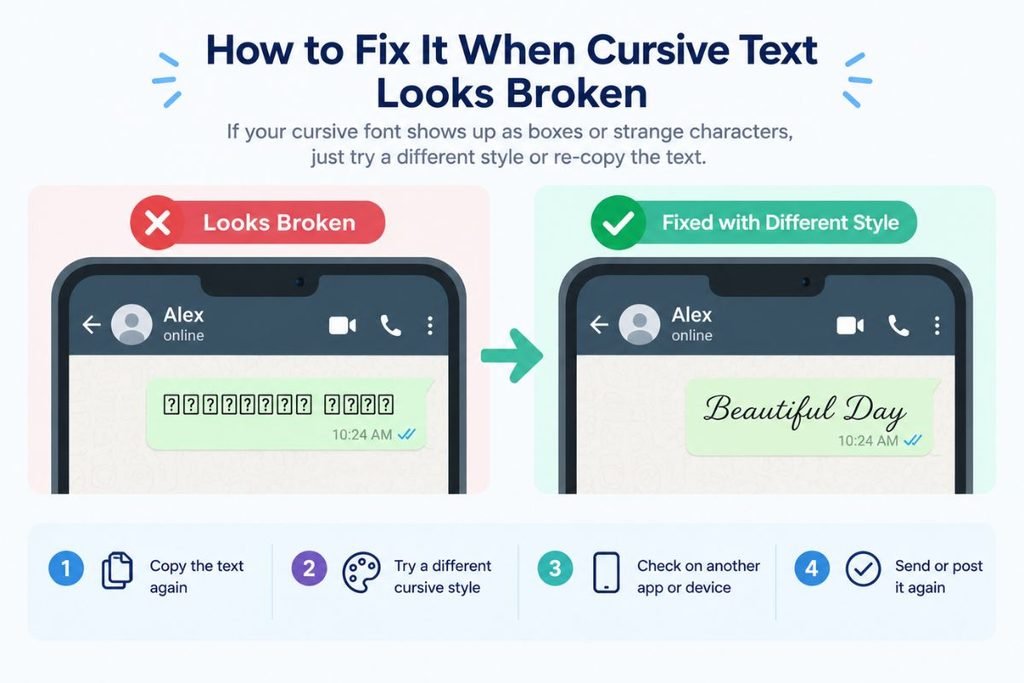
Most problems with broken-looking cursive copy-paste text have a straightforward fix once you know what’s actually causing them.
- Try a different style. Most generators, including this one, offer several distinct styles, like script, bold, reverse and decorated. If one style shows up as boxes on a particular platform, a different style built from a different Unicode range sometimes displays correctly, since not every device fails to support every Unicode block equally.
- Test on the actual destination before publishing anything important. A quick paste into the real app or field you’re planning to use, checked on your own device, catches most rendering problems before they become visible to anyone else.
- Avoid cursive copy-paste text for anything that has to be read by a screen reader or indexed accurately by a search engine. Page titles, headings meant to rank for a specific term, and any text where accessibility genuinely matters are better left in plain text, with cursive styling reserved for decorative use elsewhere.
- Keep a plain-text version available alongside decorative text when the message itself matters more than the styling, for example in a caption where the actual words need to come through even if a viewer’s device can’t render the cursive version.
- For documents, printed materials or anything that needs guaranteed consistent rendering, an image of real cursive handwriting or text styled with an actual installed font is more reliable than Unicode copy-paste characters, which depend on font support you don’t control once the text leaves your device.
Cursive Copy-Paste Text vs. a Real Cursive Font
It’s worth being clear about the difference between a Unicode copy-paste character and a genuine cursive font applied through design software or a website’s own styling, since the two solve different problems and neither replaces the other.
Unicode copy-paste text travels as plain text. It can be typed into a text field with no formatting options at all, like a bio or a comment box, and it will still show up styled, because the styling lives inside the character itself rather than being applied on top of it. The tradeoff is exactly what this guide has covered: it depends on the destination device having the right font coverage, and it isn’t read as ordinary text by screen readers or search engines.
A real cursive font, applied through CSS on a website or through design software for a graphic, works the opposite way. It needs the app or page to actually support custom fonts, which a plain bio field never does. In exchange, it renders consistently wherever that font is loaded or embedded, it reads correctly to screen readers and search engines because the underlying text is still ordinary letters, and it can be exported as an image for places, like a printed invitation or a social media graphic, where guaranteed, consistent appearance matters more than pasteability.
In short, copy-paste Unicode text is the right tool when you need styled text to work inside a plain text field with no formatting options. A real font or a handwriting-style image is the right tool when you’re building something, like a graphic, a document or a printed piece, where you control the design and need the result to look the same for everyone who sees it.
Cursive Copy-Paste Text for Numbers and Letters
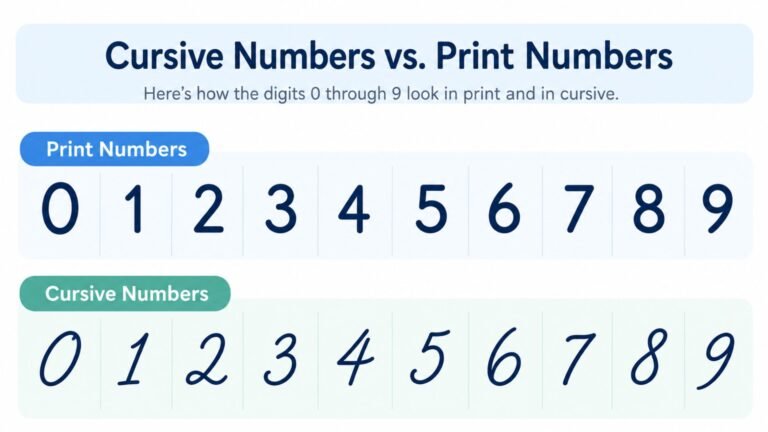
Numbers and individual letters can be converted the same way as full words, swapped for their closest styled Unicode equivalent, and they follow the exact same rules covered above: they display well on modern platforms and risk breaking anywhere font support is limited.
It’s worth being clear about what this does and does not teach. Copy-pasting a styled number or letter changes how it looks on a screen, not how to actually write it by hand. If you’re working on handwriting rather than digital text, the dedicated guide to cursive numbers and the guide to capital cursive letters cover the real stroke-by-stroke formation for each character, which a copy-pasted Unicode symbol can’t teach on its own.
Generate Your Own Cursive Text to Copy and Paste
Understanding how this works is useful, but the fastest way to see it in action is to try it directly.
Cursive Generator converts anything you type into several genuine cursive-style Unicode variants at once, ready to copy straight into a bio, caption, message or post. Testing a few different styles here, before pasting into the platform you actually plan to use, is the quickest way to find the version that displays cleanly where you need it.
Tips for Using Cursive Copy-Paste Text Well
A few habits keep cursive copy-paste text looking good wherever you use it.
- Test before you publish, especially on a platform or device you haven’t used it on before. A ten-second check prevents a broken-looking bio or caption from sitting live for anyone to see.
- Save cursive styling for places where it’s decorative rather than essential, like bios, captions and casual messages, rather than anywhere the exact words absolutely have to come through correctly.
- Keep important information, like contact details, links or instructions, in plain text even when the surrounding message uses cursive styling, so nothing gets lost if the styled characters don’t render on someone else’s device.
- Avoid relying on cursive copy-paste text for page titles, headings or anything meant to be found through search, since it isn’t read as the underlying word by crawlers or assistive technology.
- Keep a plain-text backup of anything important you’ve styled, like a happy birthday message built from cursive font text, so you can quickly switch back if you notice it isn’t displaying correctly somewhere.
Frequently Asked Questions
Why does my cursive font look like boxes when I paste it?
The device or app displaying your text doesn’t have a font installed that covers the specific Unicode characters your cursive text is built from. This is most common on older devices, outdated apps, or fields that restrict which characters they display.
Is cursive copy-paste text a real font?
No. It’s a set of distinct Unicode characters chosen because they resemble cursive letterforms, not an actual font applied to ordinary text. That’s exactly why it can be copied and pasted anywhere without needing a font installed, and also why it sometimes fails to render.
Does cursive font copy and paste work on Instagram?
Yes, generally. Instagram’s modern apps and the devices most people use to view it both support the Unicode ranges cursive copy-paste text relies on, which is why it’s become such a common sight in bios and captions.
Can screen readers read cursive copy-paste text?
Not reliably. Screen readers are built to recognize ordinary letters, and cursive Unicode characters are technically different characters that only resemble those letters visually. Depending on the screen reader, the result can be garbled, spelled out oddly, or skipped entirely.
Why does cursive text look different on different devices?
Because it depends on each device having a font installed that includes the specific Unicode characters involved. Two devices with different font coverage can display the exact same pasted text completely differently.
Can I use cursive copy-paste text in my website’s meta title or SEO content?
It isn’t recommended for anything meant to rank for a specific search term, since search engines read the underlying Unicode characters, not the word they visually resemble. Keep SEO-critical text in plain characters and save cursive styling for decorative, non-indexed content.
How do I get cursive font to copy and paste?
Type your text into a cursive generator, pick a style from the options it offers, and copy the result directly. No font installation or special app is required, since what you’re copying is plain Unicode text that any device can paste.
Why did my cursive text turn back into plain letters after I pasted it?
Some apps and text fields automatically strip out characters outside the standard alphabet when you paste, as a way of enforcing plain, consistent text. This isn’t a failure of the cursive text itself, it’s the destination field filtering it out, and it typically happens immediately on paste rather than appearing correctly and changing later.
What’s the difference between a cursive font generator and an actual cursive font?
A cursive font generator swaps your letters for styled Unicode characters that work in plain text fields with no formatting support, but depend on the viewer’s device for correct display. An actual cursive font is applied through design software or a website’s own styling, needs a platform that supports custom fonts, but renders consistently and stays readable to screen readers and search engines.
Conclusion
Cursive font copy and paste isn’t a font at all. It’s a set of Unicode characters chosen because they resemble script handwriting, which is exactly why it can be pasted anywhere without installing anything, and exactly why it sometimes breaks.
It displays cleanly on the modern apps and devices most people actually use it on, like Instagram, Facebook, Twitter/X, Discord, WhatsApp and TikTok, and it’s more likely to run into trouble on older devices, character-restricted form fields, screen readers and search engines. Test it on the platform you’re actually using before you publish anything important, keep essential information in plain text, and save the cursive styling for the decorative moments where it belongs. To see it for yourself, type a word into Cursive Generator and copy whichever style fits what you’re posting.
One Comment